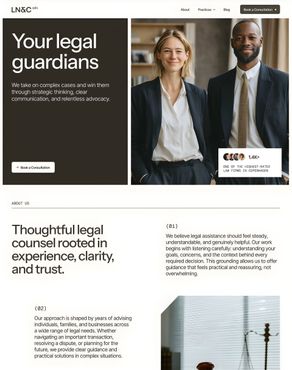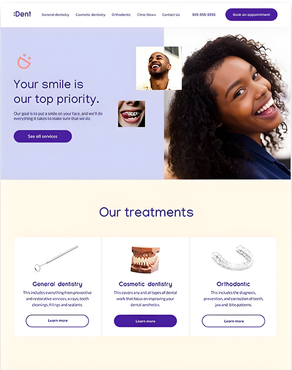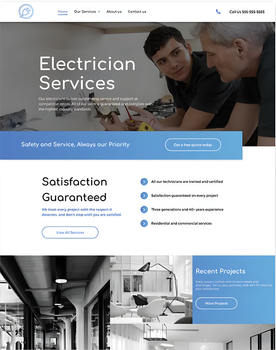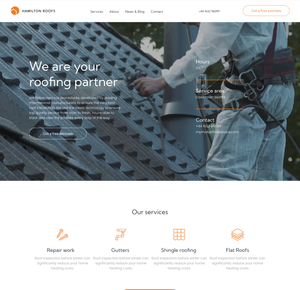
Web Design
Professional websites for small businesses in Melbourne
All of our websites are custom developed, SEO optimized with fast load speeds. Specifically for small businesses.
Services
How we help small businesses grow
We focus on the digital stuff that small businesses don't have time for so they can focus on what they're good at.
Web Design & Marketing Blog
Read our blogs to help you grow your online presence

Website accessibility means much more than just following rules — it opens doors to a huge untapped market. Around the world, 1.3 billion people live with some kind of disability. That's one in every six people. This group commands an impressive $1.9 trillion in disposable income globally. Most businesses miss this chance completely. A whopping 93% of European websites don't meet basic accessibility standards. Your business faces real legal risks with inaccessible websites. American "shakedown" lawsuits just need $10,000 to $50,000 settlements without warning. These legal rules apply to every business with a website, regardless of size. This piece will show you why accessibility matters to your small business and how it can boost your revenue. You'll learn about responsive design's role in modern websites. We'll walk through practical steps to make your website available to everyone, and show how this smart investment builds lasting value for your brand. Why accessibility matters more than you think Website accessibility becomes more critical as our digital world expands. Small businesses need inclusive websites not just to comply with regulations but to connect with every potential customer. 1. What is web accessibility? A website becomes accessible when its design, tools, and technologies work for people with disabilities. The World Wide Web Consortium (W3C) states that an accessible website lets all users "see, understand, guide, and interact with the Web". This concept builds on four fundamental principles, known as POUR: Perceivable : Information must be presentable to users in ways they can perceive Operable : Users must be able to navigate and use interface components Understandable : Information and operations must be comprehensible Robust : Content must work with current and future technologies Picture accessibility as a store with both stairs and ramps. These ramps help everyone—parents pushing strollers, delivery workers with carts, and people with mobility challenges. Digital accessibility creates better experiences the same way. 2. Who benefits from accessible websites? Accessible websites serve more than just users with permanent disabilities. The benefits reach: People with various disabilities : This group consists of those with visual, auditory, motor, cognitive, neurological, and speech impairments. Aging population : Changes in abilities come with age, and accessibility features help adapt. Much of your potential customer base needs these features, as one in five Australians lives with some form of disability. Situational users : Some people read in bright sunlight and struggle with low-contrast text. Others need captions in noisy places, or they might have a temporary injury like a broken arm. Mobile users : People using smartphones, tablets, or other devices with smaller screens and different input methods. These benefits reach far and wide, yet many small business owners don't realize how many customers they lose through poor accessibility. 3. Why is accessibility important for small businesses? Small business owners often think website accessibility only matters for big corporations or government agencies. This mistake can get pricey for several reasons. The law increasingly requires accessibility. Australian businesses must follow the Disability Discrimination Act, which bans discrimination against people with disabilities when providing goods and services. U.S. businesses face similar pressure, with over 5,000 accessibility lawsuits filed in just six months of 2018. The business case proves compelling. People with disabilities make up 15-20% of the world's population and control about AUD 19.88 trillion in spending power. The U.S. numbers show that one in four adults lives with some form of disability. Accessible websites rank better in search engines. Basic accessibility practices—proper heading structure, descriptive alt text for images, and clear link purposes—boost your SEO rankings. "Keywords in links are more valuable than plain text", so good accessibility practices help your online visibility. Your website becomes easier to use for everyone with accessibility features. Elements like high contrast text , larger touch targets, and logical navigation improve the experience for all visitors. These improvements lead to better conversion rates and customer loyalty. How accessibility boosts your business performance Making your website available isn't just the right thing to do—it's a smart business decision that affects your bottom line. Here's how accessibility can boost your small business performance. 1. Reach a wider audience, including aging users You could be excluding nearly 16% of the global population with permanent disabilities by ignoring accessibility. This represents an estimated AUD 1.83 trillion in annual disposable income—a market you can't afford to ignore. Aging population presents a great chance. Older adults make up over 50% of U.S. consumer spending, yet only 5-10% of marketing budgets target them. AARP expects massive spending increases from this group between 2018 and 2050. Financial services could grow by 190% and technology by 340%. 2. Improve SEO through better structure and metadata Websites that are accessible often rank higher in search results. This happens because many accessibility practices help with search engine optimization: Proper heading structure and semantic HTML help search engines understand your content Alt text on images improves indexing and provides contextual relevance Clear, descriptive link text helps both users and search engines understand destinations Domains that applied accessibility solutions saw their organic search traffic increase by 12%. About 66.1% of them experienced up to 50% growth in monthly organic traffic. 3. Improve user experience for all visitors Accessibility features create better experiences for everyone—not just those with disabilities. High-contrast text helps users read in bright sunlight, while simple navigation benefits those with slower internet connections. Accessibility includes all disabilities that affect web access: auditory, cognitive, neurological, physical, speech, and visual. Meeting these needs creates a more user-friendly experience for everyone. 4. Increase conversions and reduce bounce rates Poor accessibility hurts your revenue. E-commerce retailers lost an estimated AUD 1266.00 million during the 2021 holiday season due to inaccessibility. About 69% of people with disabilities leave websites that are hard to use. Good accessibility practices can boost performance substantially. One study showed checkout completion rates went up by 22% after accessibility improvements. Cart abandonment dropped from 70% to 52%. Another study found websites meeting core accessibility standards saw conversion improvements of 8-12%, even among users without disabilities. The evidence speaks for itself: investing in accessibility leads to better business outcomes. Small businesses can gain competitive advantages without spending huge marketing budgets. Steps to make your website accessible Making your website accessible doesn't have to feel overwhelming. You can boost your site's usability for all visitors by doing this and being methodical. 1. Start with an accessibility audit Your first step should be running both automated and manual accessibility testing . Tools like Google Lighthouse, Wave, or Accessibility Insights will quickly spot common problems. Manual testing comes next to find issues that automated tools miss. The problems you find should be documented and prioritized based on how they affect users and their fix complexity. 2. Fix common issues like alt text and contrast The most common accessibility barriers need your attention first. Images should have meaningful alt text that explains their purpose, not just what they look like. Empty alt attributes ( alt="" ) work best for decorative images to keep them hidden from screen readers. Text needs good contrast against backgrounds—normal text should have a ratio of at least 4.5:1 and large text 3:1. 3. Ensure keyboard and screen reader compatibility Interactive elements must work with keyboard navigation. Users need to tab through your site in a logical way without getting stuck. Focus indicators should be clear when users tab through content. Real screen reader testing will show you how assistive technologies read your content. 4. Use semantic HTML and ARIA roles Assistive technologies understand content better through well-structured HTML. Native elements like nav , header , and button work better than generic div tags. Semantic HTML should be your first choice, and ARIA roles and properties should only be used when HTML elements fall short. 5. Add captions and transcripts to media Videos need captions, and audio content needs transcripts. This helps people who are deaf or hard of hearing. Transcripts also help users in noisy places or those who prefer reading over watching. 6. Train your team on accessibility best practices Accessibility requires steadfast dedication. Your content creators, designers, and developers should learn accessibility principles to keep your site barrier-free during updates. Long-term value of accessibility for your brand Website accessibility is both a moral duty and smart business sense for small businesses today. Many companies don't think over this vital aspect. They miss out on a huge market segment that controls trillions in spending power. The benefits go way beyond the reach and influence of legal requirements, though these remain vital. Making websites available opens up massive revenue opportunities by reaching 15-20% of people with disabilities. On top of that, it serves older users who have substantial buying power but remain underserved by most marketing campaigns. The business effect becomes clearer when you see the millions lost each year due to checkout processes that people can't use and high cart abandonment rates. Better search engine rankings provide another compelling reason to make accessibility a priority. Well-structured headings, meaningful alt text, and semantic HTML help users with disabilities and boost search rankings. These accessibility improvements lead to more organic traffic and better online visibility. The best part? Accessibility creates better experiences for everyone. High-contrast text helps people read in bright sunlight. Logical navigation helps those with slower connections. These design principles help reduce bounce rates and increase conversions—even for users without disabilities. Small businesses can start this experience with basic steps. They should run an accessibility audit, fix common problems like alt text and color contrast, ensure keyboard compatibility, use semantic HTML, add captions to media, and train their team members. These practical steps cost nowhere near their potential returns. The data shows that available websites perform better in all metrics that matter to small businesses. Smart business owners don't see accessibility as a burden or compliance cost. They recognize it as a strategic edge that builds brand loyalty, expands market reach, and propels development. Accessibility is a hidden revenue booster that small businesses can't ignore anymore. Key Takeaways Website accessibility isn't just about compliance—it's a strategic business opportunity that can significantly boost your small business revenue and market reach. • Tap into a $1.9 trillion market : Over 1.3 billion people with disabilities globally represent massive untapped spending power that 93% of websites currently exclude. • Boost SEO and organic traffic naturally : Accessible design practices like proper headings and alt text improve search rankings, with some sites seeing up to 50% traffic growth. • Increase conversions by 8-22% : Accessible websites reduce bounce rates and cart abandonment while improving checkout completion rates for all users, not just those with disabilities. • Start simple with high-impact fixes : Begin with alt text, color contrast, keyboard navigation, and semantic HTML—small changes that deliver immediate improvements. • Future-proof against legal risks : Accessibility lawsuits demand $10,000-$50,000 settlements, making proactive compliance essential for businesses of all sizes. The aging population alone controls over 50% of consumer spending yet receives minimal marketing attention. By making your website accessible, you're not just doing the right thing—you're positioning your business to capture revenue that competitors are leaving on the table. FAQs Q1. How does website accessibility benefit small businesses? Website accessibility can significantly boost revenue by tapping into a $1.9 trillion market of people with disabilities, improving SEO and organic traffic, increasing conversions by 8-22%, and future-proofing against legal risks. Q2. What are some simple steps to improve website accessibility? Start with an accessibility audit, fix common issues like alt text and color contrast, ensure keyboard navigation compatibility, use semantic HTML, add captions to media, and train your team on accessibility best practices. Q3. How does accessibility impact search engine optimization (SEO)? Accessible websites often achieve better SEO performance through improved content structure, descriptive alt text for images, and clear link purposes. This can lead to higher search rankings and increased organic traffic. Q4. Can website accessibility improve user experience for all visitors? Yes, accessibility features like high-contrast text, larger touch targets, and logical navigation create better experiences for everyone, not just those with disabilities. This can lead to reduced bounce rates and increased conversions for all users. Q5. What are the potential consequences of ignoring website accessibility? Ignoring accessibility can result in lost revenue from a significant market segment, potential legal risks with settlements ranging from $10,000 to $50,000, and missed opportunities to improve overall user experience and SEO performance.