Claim your complimentary website demo →

Small Business Web Designer In Melbourne

Professional high converting websites for small businesses in Melbourne. Start with a FREE website demo today and view the quality and potential your website could have!

Claim free website demo →

Small Business Web Designer In Melbourne

Professional high converting websites for small businesses in Melbourne. Start with a FREE website demo today and view the quality and potential your website could have!

Claim your complimentary website demo →

Small Business Web Designer In Melbourne

Professional high converting websites for small businesses in Melbourne. Start with a FREE website demo today and view the quality and potential your website could have!

Why us

Melbournes Trusted Web Design Agency for Small Businesses

Why us

Melbournes Trusted Web Design Agency for Small Businesses

A black circle is floating in the air on a white background.
Free website demo icon

FREE Website Demo

We will build you a FREE website demonstration to give you a visual on the quality of our work.

0$ upfront icon

0$ Upfront Payments

We require 0$ upfront. Giving you absolutely no risk and commitment to our services. 

Competitive pricing icon

Competitive Prices

We offer affordable lump sum payments or monthly subscriptions.

On time fast delivery for websites icon

Fast Delivery

If you have a deadline in mind, we guarantee we can deliver your project in time.

Free website demo icon

FREE Website Demo

We will build you a FREE website demonstration to give you a visual on the quality of our work.

0$ upfront icon

0$ Upfront Payments

We require 0$ upfront. Giving you absolutely no risk and commitment to our services. 

Competitive pricing icon

Competitive Prices

We offer affordable lump sum payments or monthly subscriptions.

On time fast delivery for websites icon

Fast Delivery

If you have a deadline in mind, we guarantee we can deliver your project in time.

A black circle is floating in the air on a white background.
Free website demo icon

FREE Website Demo

We will build you a FREE website demonstration to give you a visual on the quality of our work.

0$ upfront icon

0$ Upfront Payments

We require 0$ upfront. Giving you absolutely no risk and commitment to our services. 

Competitive pricing icon

Competitive Prices

We offer affordable lump sum payments or monthly subscriptions.

On time fast delivery for websites icon

Fast Delivery

If you have a deadline in mind, we guarantee we can deliver your project in time.

Get a complimentary custom website demonstration

We believe in these partnerships, value to you should always come first.

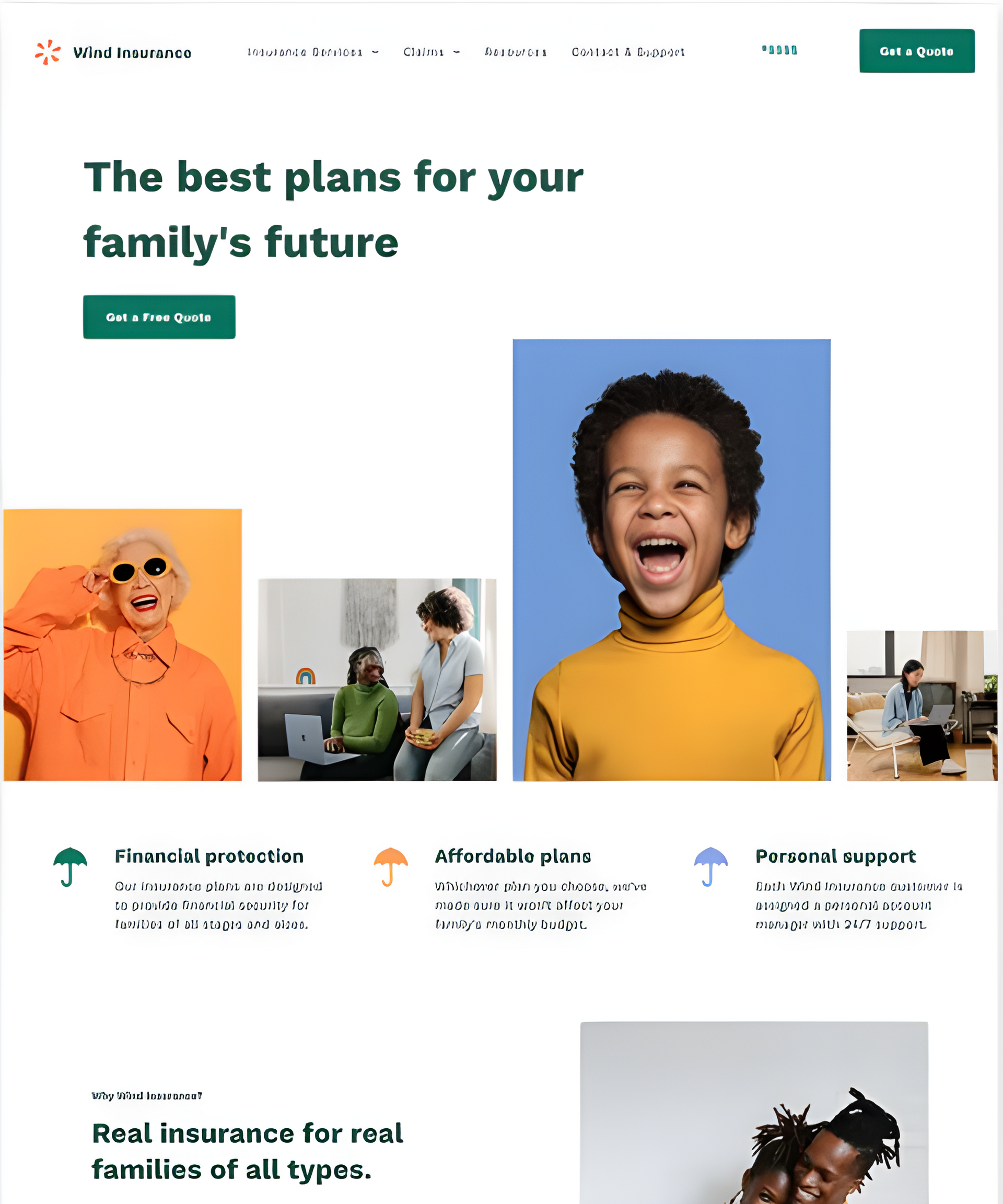
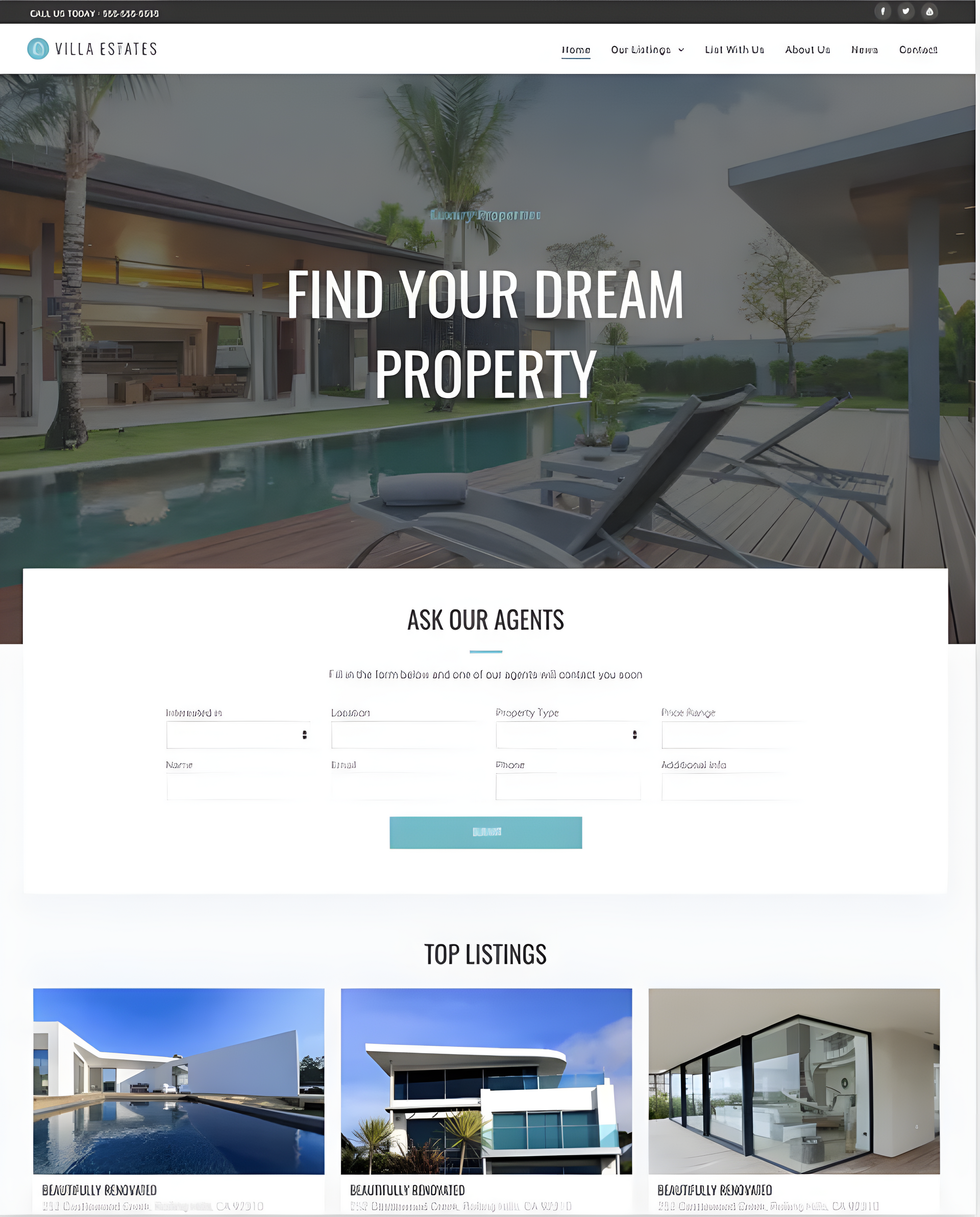
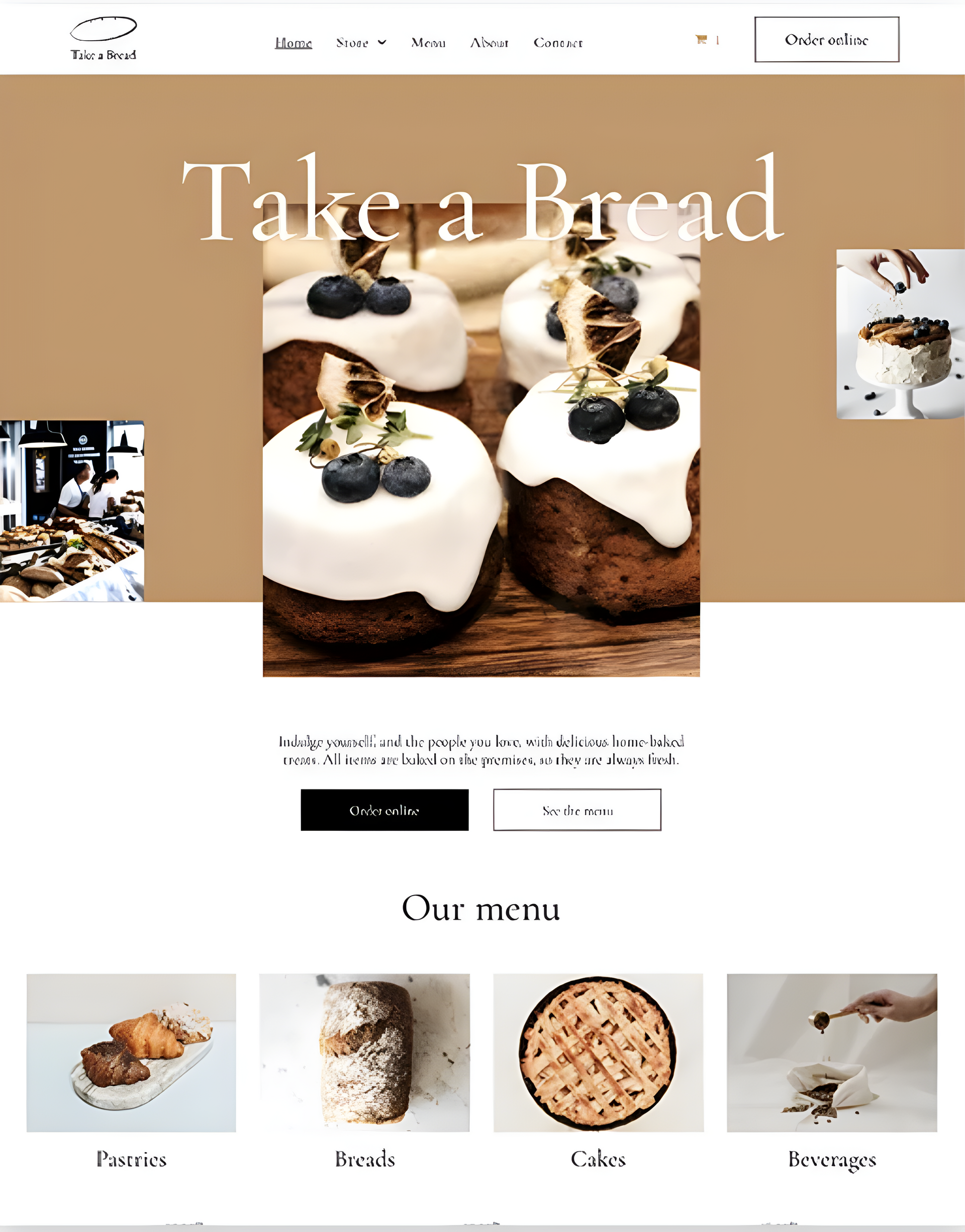
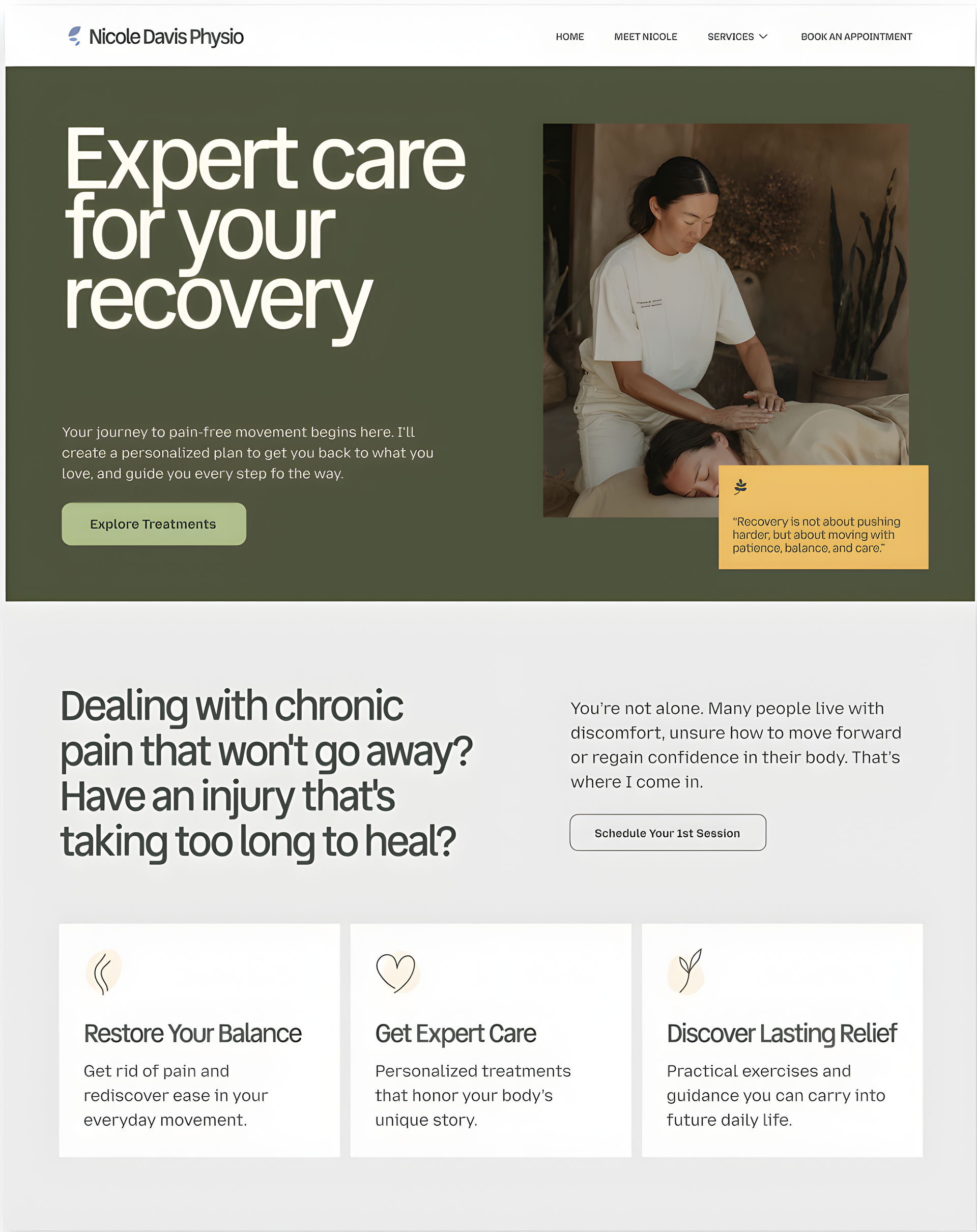
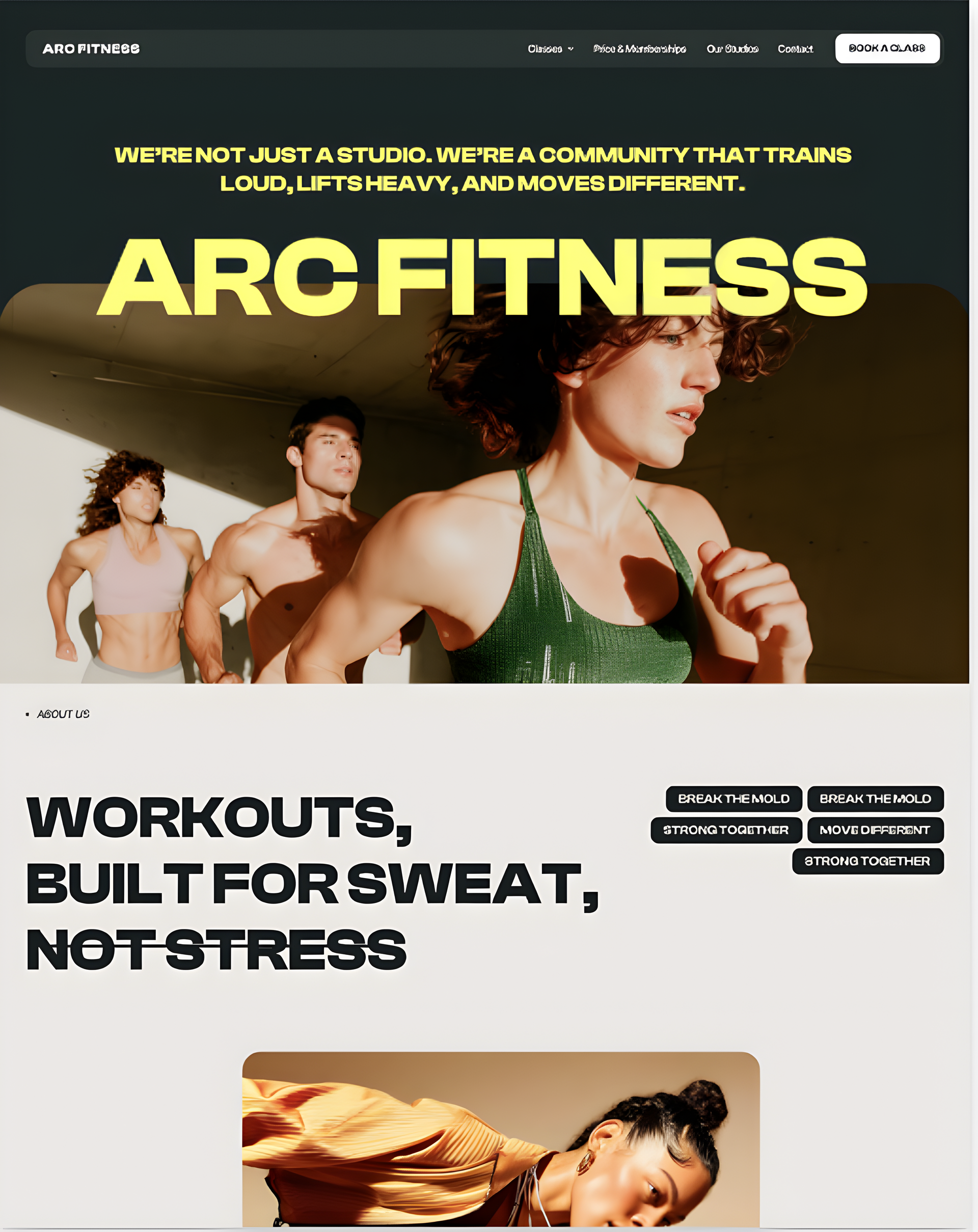
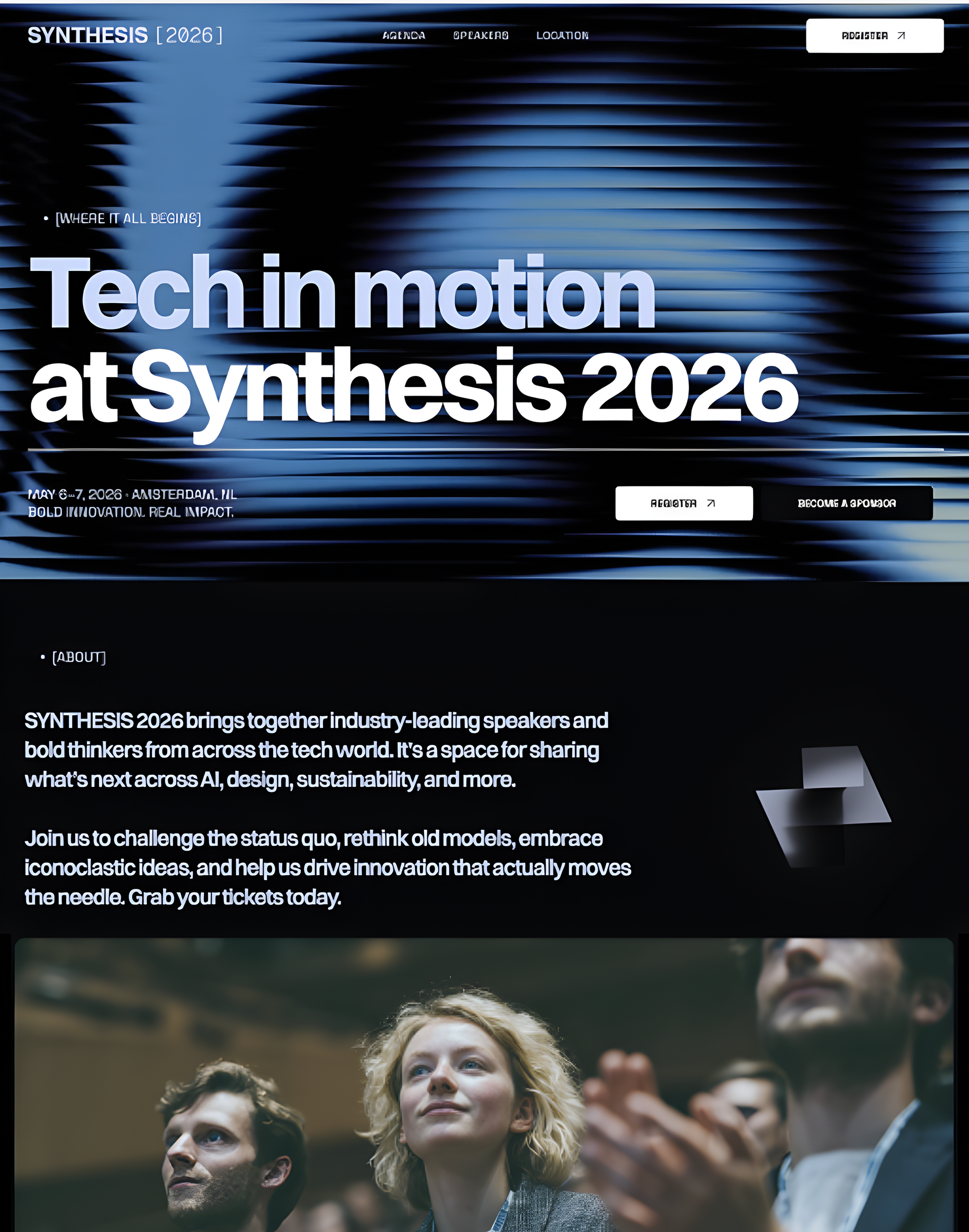
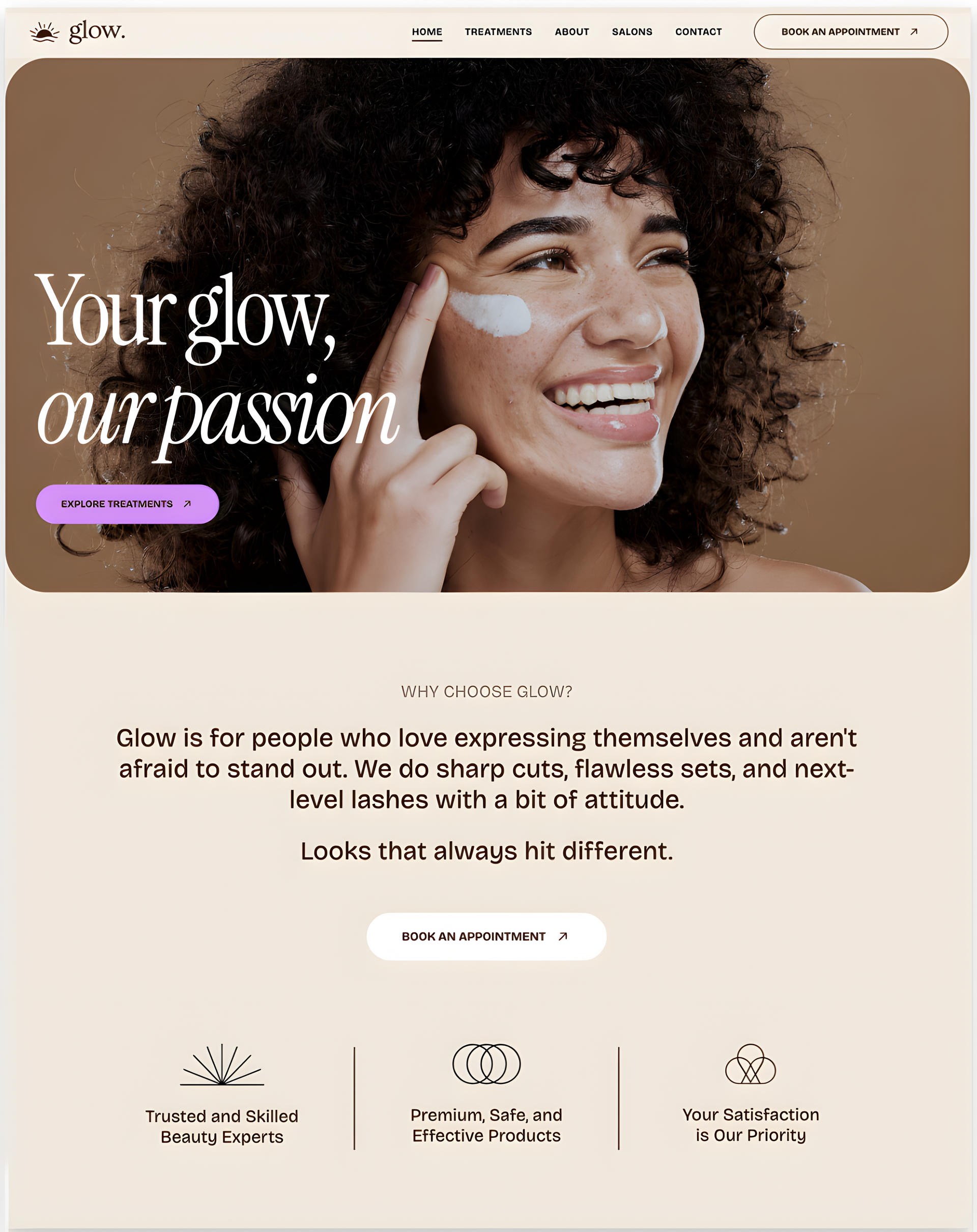
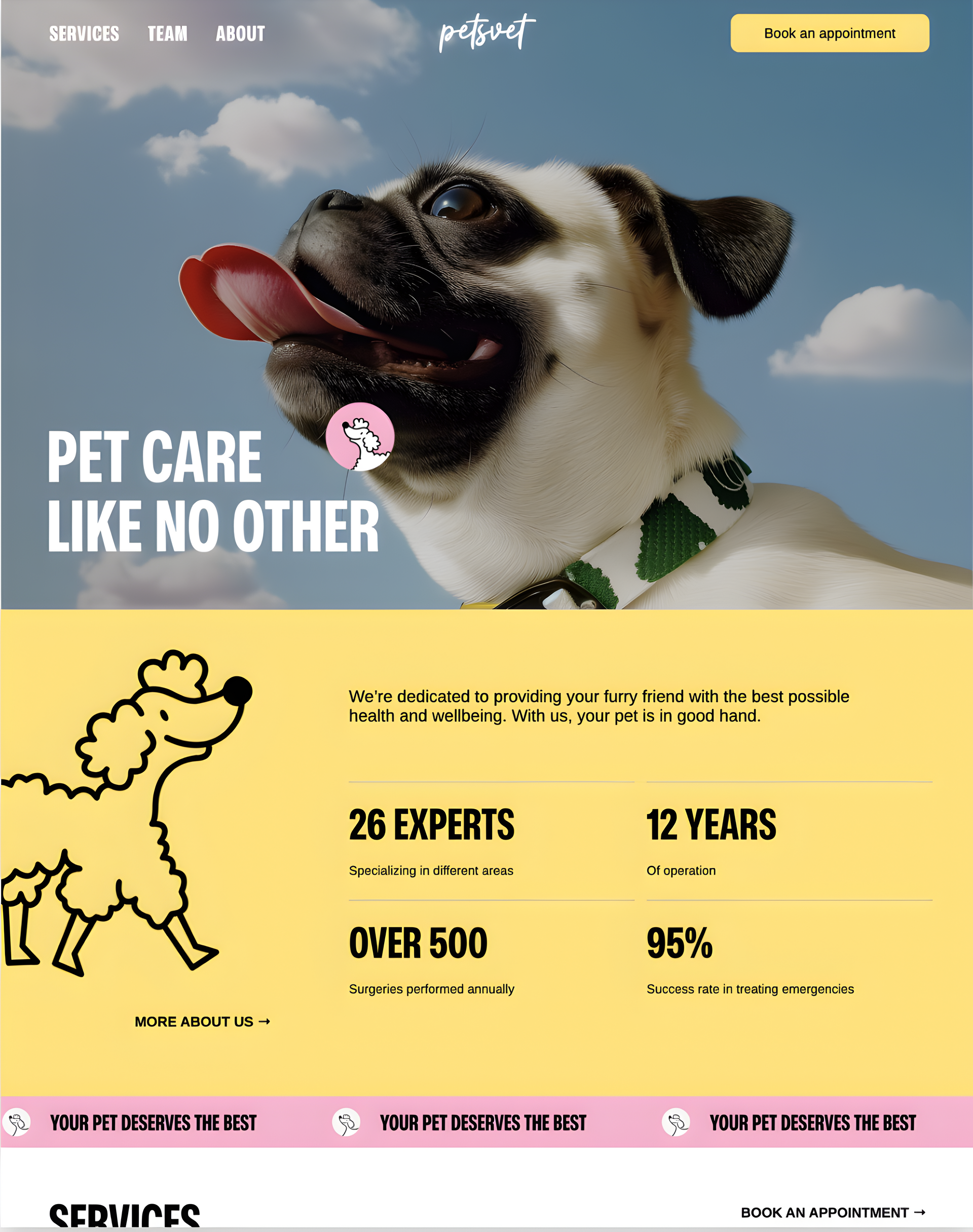
3 website designs on laptops
A black and white check mark in a circle on a white background.

No commitment

We build the demo based of the content already available to us online.

A black and white check mark in a circle on a white background.

Your own template

You are free to use the demo as a template and copy the design for yourself!

A black and white check mark in a circle on a white background.

Fast delivery

The demo will be delivered to you within 24hrs.

A black and white check mark in a circle on a white background.

Advice and support

Along with the demo, we will offer you free advice and guidance to improve your online presence.

3 website designs on laptops
A black and white check mark in a circle on a white background.

No commitment

We build the demo based of the content already available to us online.

A black and white check mark in a circle on a white background.

Your own template

You are free to use the demo as a template and copy the design for yourself!

A black and white check mark in a circle on a white background.

Fast delivery

The demo will be delivered to you within 24hrs.

A black and white check mark in a circle on a white background.

Advice and support

Along with the demo, we will offer you free advice and guidance to improve your online presence.

Process

How our website process works

Claim free website demo

Get a custom website demonstration for your business. No commitment required.

A black arrow pointing to the right on a white background.

Make your revision requests

We will work together to tailor the site to your business and get it exactly how you would like.

A black arrow pointing to the right on a white background.

Publish website

We will publish the site, manage and maintain your new high performing website.


A black arrow pointing to the right on a white background.

Claim free website demo

Get a custom website demonstration for your business. No commitment required.

Make your revision requests

We will work together to tailor the site to your business and get it exactly how you would like.

Publish website

We will publish the site, manage and maintain your new high performing website.

Claim free website demo

Get a custom website demonstration for your business. No commitment required.

Make your revision requests

We will work together to tailor the site to your business and get it exactly how you would like.

Publish website

We will publish the site, manage and maintain your new high performing website.

Portfolio

Custom websites for growing your small business in Melbourne

All of our websites are custom developed with no bloated code and fast load speeds. Optimized for small businesses.

Portfolio

Custom websites for growing your small business in Melbourne

All of our websites are custom developed, optimized for SEO with fast load speeds. Specifically for small businesses.

Pricing

Affordable web design for small businesses in Melbourne

LUMP SUM

  • Design & Development
  • Hosting on AWS
  • SSL Certificate
  • Monthly Backups

From

$990  +$30/mo Hosting

GET STARTED

MONTHLY

  • Design & Development
  • Hosting on AWS
  • SSL Certificate
  • Monthly Backups
  • Unlimited Edits
  • 24/7 Support
  • Monthly performance Analytics

From

$85/m

GET STARTED

BLOG WRITING

  • 10 Blog posts
  • 1000-2500 words each
  • Keyword research
  • Improved SEO

+ $250 One time payment

LOGO DESIGN

  • 3 logo designs
  • Unlimited revisions
  • Social kit

+ $450 One time payment

LUMP SUM

  • Design & Development
  • Hosting on AWS
  • SSL Certificate
  • Monthly Backups

From

$990  +$30/mo Hosting

GET STARTED

MONTHLY

  • Design & Development
  • Hosting on AWS
  • SSL Certificate
  • Monthly Backups
  • Unlimited Edits
  • 24/7 Support
  • Monthly performance Analytics

From

$85/m

GET STARTED

BLOG WRITING

  • 10 Blog posts
  • 1000-2500 words each
  • Keyword research
  • Improved SEO

+ $250  One time payment

LOGO DESIGN

  • 3 logo designs
  • Unlimited revisions
  • Social kit

+ $450  One time payment

LUMP SUM

  • Design & Development
  • Hosting on AWS
  • SSL Certificate
  • Monthly Backups

From

$990  +$30/mo Hosting

GET STARTED

MONTHLY

  • Design & Development
  • Hosting on AWS
  • SSL Certificate
  • Monthly Backups
  • Unlimited Edits
  • 24/7 Support
  • Monthly performance Analytics

From

$85/m

GET STARTED

BLOG WRITING

  • 10 Blog posts
  • 1000-2500 words each
  • Keyword research
  • Improved SEO

+ $250 One time payment

LOGO DESIGN

  • 3 logo designs
  • Unlimited revisions
  • Social kit

+ $450 One time payment

Some of our testimonials

View more testimonials →

Features

High converting custom websites for your small business in Melbourne

Enhance user experience and boost SEO with quick load times and responsive design, driving conversions and improving search engine rankings


Responsive designs. compatible with all devices. mobile compatibility

Responsive Design

Your site will work perfectly on desktop, tablet and mobile, so customers have the best possible experience on every device.

On page SEO. Alt text. Meta tags. Keywords.

On Page SEO

We’ll make sure your site is Google-friendly by customizing the SEO settings to make it easier for customers to find you online.

Website Hosting. AWS. cloud hosting

Reliable Hosting

All of our websites are hosted on Amazon’s worldwide hosting service, so you know your site will always be available online.

Website and mobile app widgets

Members Login Portals

Along with many other valuable features, we offer members log in portals for our websites.

Social media icons

Social Media

Want to connect with your customers when they’re not on your website? We’ll add social icons so visitors can easily like or follow you.

Online growth. Analysis

Comprehensive Analytics

We employ a full suite of analytics and tracking software so you can see how your online efforts are paying off.

Resources

Melbourne Small Business Website Cheat Sheet

VIEW MORE

Resources

Melbourne Small Business Website Cheat Sheet

Dark green graphic with white text:


Your website is, hands down, the most important asset of your business. The face of your company.

Your website is most likely the first chance you’ll have to make an impression on your potential clients or customers and, like it or not, they’re 100% going to judge the quality of your business based on the quality of your website.


What's included in this cheat sheet:


  • Design practices that are hurting your rankings and how to improve them easily
  • How the platform you developed the site on is actually repelling traffic
  • What you 100% must do before making a website that will actually convert traffic


Read Guide
Dark green graphic with white text:

Your website is, hands down, the most important asset of your business. The face of your company.

Your website is most likely the first chance you’ll have to make an impression on your potential clients or customers and, like it or not, they’re 100% going to judge the quality of your business based on the quality of your website.


What's included in this cheat sheet:


  • Design practices that are hurting your rankings and how to improve them easily
  • How the platform you developed the site on is actually repelling traffic
  • What you 100% must do before making a website that will actually convert traffic


Read Guide
Dark green graphic with white text:

Your website is, hands down, the most important asset of your business. The face of your company.

Your website is most likely the first chance you’ll have to make an impression on your potential clients or customers and, like it or not, they’re 100% going to judge the quality of your business based on the quality of your website.


What's included in this cheat sheet:


  • Design practices that are hurting your rankings and how to improve them easily
  • How the platform you developed the site on is actually repelling traffic
  • What you 100% must do before making a website that will actually convert traffic


Read Guide

Completely risk free

We build the website first, you pay later

We understand your hesitation to invest in a website without seeing the final result. That’s why we’ll build your website first, allowing you to see its potential and quality. Only if you’re completely satisfied, you can choose to pay afterward.

Completely risk free

We build the website first, you pay later

We understand your hesitation to invest in a website without seeing the final result. That’s why we’ll build your website first, allowing you to see its potential and quality. Only if you’re completely satisfied, you can choose to pay afterward.

Check out our FAQs

Check out our FAQs

  • How much does web design for a small business in Melbourne typically cost?

    At Troov Marketing, our small business web design packages in Melbourne start from $790 for a professional 5-page website. Most of our small business clients invest between $790-$1590 depending on specific requirements such as e-commerce functionality, custom design elements, or advanced features. We provide transparent, all-inclusive pricing with no hidden costs, making quality web design affordable for Melbourne small businesses of all sizes.


  • What factors affect the cost of website design for my small business?

    Several factors influence website design costs for Melbourne small businesses:


    - Scope of the project (number of pages, features required)


    - Design complexity (template-based vs. custom design)


    - Functionality needs (e-commerce, booking systems, member areas)


    - Content creation requirements (copywriting, photography)


    - Ongoing maintenance and support needs


    We provide detailed quotes that break down all costs so you understand exactly what you’re investing in.

  • Why should I invest in professional web design rather than using a DIY website builder?

    While DIY solutions may seem cost-effective initially, professional web design offers significant advantages for Melbourne small businesses:


    -Custom designs that reflect your unique brand identity


    -SEO-optimized structure to help local customers find you


    -Mobile-responsive designs that work perfectly across all devices


    -Professional guidance on user experience and conversion optimization


    -Technical support and maintenance from a local Melbourne team


    Our clients typically see a return on their web design investment through increased leads and improved conversion rates.

  • What is your web design process for small businesses in Melbourne?

    Our Melbourne web design process for small businesses follows these steps:


    1. Discovery: We learn about your business, goals, and target audience


    2. Planning: We create a sitemap and outline key content requirements


    3. Design: We develop mockups of key pages for your approval


    4. Development: We build your fully-functional website


    5. Testing: We ensure everything works perfectly across all devices


    6. Launch: Your website goes live with our support


    7. Post-launch: We provide training and ongoing maintenance


    This streamlined process typically takes anywhere from 3 days -2 weeks for most small business websites.

  • How involved do I need to be in the web design process?

    As a Melbourne small business owner, your insights are valuable, but we respect your time constraints. We typically require:


    • An initial consultation (in-person in Melbourne or via video call)
    • Feedback on design concepts (1-2 review rounds)
    • Content provision (we can assist with this if needed)
    • Final approval before launch

    Our process is designed to be efficient and minimize the demands on your time while ensuring the final website meets your business objectives.

  • How will a new website benefit my small business in Melbourne?

    A professionally designed website delivers multiple benefits for Melbourne small businesses:


    • Increased local visibility in Melbourne search results
    • Enhanced credibility and trust with potential customers
    • Improved user experience leading to higher conversion rates
    • Better performance on mobile devices (where over 60% of searches happen)
    • Integration with your other marketing channels
    • 24/7 representation of your business to potential customers

    Our small business clients typically report a 62% increase in enquiries after launching their new website.

  • How long will it take to see results from my new website?

    Most of our Melbourne small business clients begin seeing improvements within 4-8 weeks of launch. This includes:


    • Immediate improvements in user experience and conversion rates
    • Gradual increases in organic search traffic (especially for local searches)
    • Better engagement metrics (longer time on site, more pages viewed)

    We provide monthly reports tracking these key metrics so you can clearly see your return on investment.


  • What ongoing support do you provide after my website launches?

    We offer comprehensive website support packages for Melbourne small businesses that include:


    • Regular security updates and backups
    • Technical support and troubleshooting
    • Minor content updates and changes
    • Performance monitoring and optimization
    • Monthly analytics reporting

    Our affordable maintenance packages start from $65/month, ensuring your website remains secure, up-to-date, and performing optimally.

  • Will my website be optimized for search engines?

    Yes, all our websites include essential SEO foundations to help your business get found online:


    • Clean, search-friendly code structure
    • Mobile responsiveness (a key Google ranking factor)
    • Optimized page loading speed
    • Proper heading structure and meta tags
    • Basic keyword optimization for your primary services
    • Google Analytics and Search Console setup

    These elements give your website a solid SEO foundation. For businesses wanting more comprehensive search engine visibility, we offer additional SEO services including local SEO packages specifically designed for Melbourne businesses, content strategy, and ongoing optimization.

  • How much does web design for a small business in Melbourne typically cost?

    At Troov Marketing, our small business web design packages in Melbourne start from $790 for a professional 5-page website. Most of our small business clients invest between $790-$1590 depending on specific requirements such as e-commerce functionality, custom design elements, or advanced features. We provide transparent, all-inclusive pricing with no hidden costs, making quality web design affordable for Melbourne small businesses of all sizes.


  • What factors affect the cost of website design for my small business?

    Several factors influence website design costs for Melbourne small businesses:


    - Scope of the project (number of pages, features required)


    - Design complexity (template-based vs. custom design)


    - Functionality needs (e-commerce, booking systems, member areas)


    - Content creation requirements (copywriting, photography)


    - Ongoing maintenance and support needs


    We provide detailed quotes that break down all costs so you understand exactly what you’re investing in.

  • Why should I invest in professional web design rather than using a DIY website builder?

    While DIY solutions may seem cost-effective initially, professional web design offers significant advantages for Melbourne small businesses:


    -Custom designs that reflect your unique brand identity


    -SEO-optimized structure to help local customers find you


    -Mobile-responsive designs that work perfectly across all devices


    -Professional guidance on user experience and conversion optimization


    -Technical support and maintenance from a local Melbourne team


    Our clients typically see a return on their web design investment through increased leads and improved conversion rates.

  • What is your web design process for small businesses in Melbourne?

    Our Melbourne web design process for small businesses follows these steps:


    1. Discovery: We learn about your business, goals, and target audience


    2. Planning: We create a sitemap and outline key content requirements


    3. Design: We develop mockups of key pages for your approval


    4. Development: We build your fully-functional website


    5. Testing: We ensure everything works perfectly across all devices


    6. Launch: Your website goes live with our support


    7. Post-launch: We provide training and ongoing maintenance


    This streamlined process typically takes anywhere from 3 days -2 weeks for most small business websites.

  • How involved do I need to be in the web design process?

    As a Melbourne small business owner, your insights are valuable, but we respect your time constraints. We typically require:


    • An initial consultation (in-person in Melbourne or via video call)
    • Feedback on design concepts (1-2 review rounds)
    • Content provision (we can assist with this if needed)
    • Final approval before launch

    Our process is designed to be efficient and minimize the demands on your time while ensuring the final website meets your business objectives.

  • How will a new website benefit my small business in Melbourne?

    A professionally designed website delivers multiple benefits for Melbourne small businesses:


    • Increased local visibility in Melbourne search results
    • Enhanced credibility and trust with potential customers
    • Improved user experience leading to higher conversion rates
    • Better performance on mobile devices (where over 60% of searches happen)
    • Integration with your other marketing channels
    • 24/7 representation of your business to potential customers

    Our small business clients typically report a 62% increase in enquiries after launching their new website.

  • How long will it take to see results from my new website?

    Most of our Melbourne small business clients begin seeing improvements within 4-8 weeks of launch. This includes:


    • Immediate improvements in user experience and conversion rates
    • Gradual increases in organic search traffic (especially for local searches)
    • Better engagement metrics (longer time on site, more pages viewed)

    We provide monthly reports tracking these key metrics so you can clearly see your return on investment.


  • What ongoing support do you provide after my website launches?

    We offer comprehensive website support packages for Melbourne small businesses that include:


    • Regular security updates and backups
    • Technical support and troubleshooting
    • Minor content updates and changes
    • Performance monitoring and optimization
    • Monthly analytics reporting

    Our affordable maintenance packages start from $65/month, ensuring your website remains secure, up-to-date, and performing optimally.

  • Will my website be optimized for search engines?

    Yes, all our websites include essential SEO foundations to help your business get found online:


    • Clean, search-friendly code structure
    • Mobile responsiveness (a key Google ranking factor)
    • Optimized page loading speed
    • Proper heading structure and meta tags
    • Basic keyword optimization for your primary services
    • Google Analytics and Search Console setup

    These elements give your website a solid SEO foundation. For businesses wanting more comprehensive search engine visibility, we offer additional SEO services including local SEO packages specifically designed for Melbourne businesses, content strategy, and ongoing optimization.

  • How much does web design for a small business in Melbourne typically cost?

    At Troov Marketing, our small business web design packages in Melbourne start from $790 for a professional 5-page website. Most of our small business clients invest between $790-$1590 depending on specific requirements such as e-commerce functionality, custom design elements, or advanced features. We provide transparent, all-inclusive pricing with no hidden costs, making quality web design affordable for Melbourne small businesses of all sizes.


  • What factors affect the cost of website design for my small business?

    Several factors influence website design costs for Melbourne small businesses:


    - Scope of the project (number of pages, features required)


    - Design complexity (template-based vs. custom design)


    - Functionality needs (e-commerce, booking systems, member areas)


    - Content creation requirements (copywriting, photography)


    - Ongoing maintenance and support needs


    We provide detailed quotes that break down all costs so you understand exactly what you’re investing in.

  • Why should I invest in professional web design rather than using a DIY website builder?

    While DIY solutions may seem cost-effective initially, professional web design offers significant advantages for Melbourne small businesses:


    -Custom designs that reflect your unique brand identity


    -SEO-optimized structure to help local customers find you


    -Mobile-responsive designs that work perfectly across all devices


    -Professional guidance on user experience and conversion optimization


    -Technical support and maintenance from a local Melbourne team


    Our clients typically see a return on their web design investment through increased leads and improved conversion rates.

  • What is your web design process for small businesses in Melbourne?

    Our Melbourne web design process for small businesses follows these steps:


    1. Discovery: We learn about your business, goals, and target audience


    2. Planning: We create a sitemap and outline key content requirements


    3. Design: We develop mockups of key pages for your approval


    4. Development: We build your fully-functional website


    5. Testing: We ensure everything works perfectly across all devices


    6. Launch: Your website goes live with our support


    7. Post-launch: We provide training and ongoing maintenance


    This streamlined process typically takes anywhere from 3 days -2 weeks for most small business websites.

  • How involved do I need to be in the web design process?

    As a Melbourne small business owner, your insights are valuable, but we respect your time constraints. We typically require:


    • An initial consultation (in-person in Melbourne or via video call)
    • Feedback on design concepts (1-2 review rounds)
    • Content provision (we can assist with this if needed)
    • Final approval before launch

    Our process is designed to be efficient and minimize the demands on your time while ensuring the final website meets your business objectives.

  • How will a new website benefit my small business in Melbourne?

    A professionally designed website delivers multiple benefits for Melbourne small businesses:


    • Increased local visibility in Melbourne search results
    • Enhanced credibility and trust with potential customers
    • Improved user experience leading to higher conversion rates
    • Better performance on mobile devices (where over 60% of searches happen)
    • Integration with your other marketing channels
    • 24/7 representation of your business to potential customers

    Our small business clients typically report a 62% increase in enquiries after launching their new website.

  • How long will it take to see results from my new website?

    Most of our Melbourne small business clients begin seeing improvements within 4-8 weeks of launch. This includes:


    • Immediate improvements in user experience and conversion rates
    • Gradual increases in organic search traffic (especially for local searches)
    • Better engagement metrics (longer time on site, more pages viewed)

    We provide monthly reports tracking these key metrics so you can clearly see your return on investment.


  • What ongoing support do you provide after my website launches?

    We offer comprehensive website support packages for Melbourne small businesses that include:


    • Regular security updates and backups
    • Technical support and troubleshooting
    • Minor content updates and changes
    • Performance monitoring and optimization
    • Monthly analytics reporting

    Our affordable maintenance packages start from $65/month, ensuring your website remains secure, up-to-date, and performing optimally.

  • Will my website be optimized for search engines?

    Yes, all our websites include essential SEO foundations to help your business get found online:


    • Clean, search-friendly code structure
    • Mobile responsiveness (a key Google ranking factor)
    • Optimized page loading speed
    • Proper heading structure and meta tags
    • Basic keyword optimization for your primary services
    • Google Analytics and Search Console setup

    These elements give your website a solid SEO foundation. For businesses wanting more comprehensive search engine visibility, we offer additional SEO services including local SEO packages specifically designed for Melbourne businesses, content strategy, and ongoing optimization.

Web Design & Marketing Blog

Read our blogs to help you grow your online presence

Title slide:
December 14, 2025
Small businesses need simple website hosting knowledge to thrive in today's digital landscape. The numbers tell the story - 56.1% of the world has internet access, and 80% of US internet users shop online. A well-hosted website has become a business necessity, not just an option. Understanding website hosting fundamentals helps you make better decisions about your online presence. Your business brand gains visibility on the internet's map through website hosting. This visibility becomes a vital factor since 47% of people click on the top three search results immediately. This piece will simplify the process, whether you're learning about web hosting Australia options or checking simple website hosting costs that start at $2.99 monthly during promotions. You'll learn everything from website hosting terminology to hosting a website on your computer - though most small businesses avoid this option and with good reason too. It also explains why your growing website might need VPS hosting after outgrowing shared hosting. This flexibility becomes important as your business traffic increases.  What is Website Hosting and Why It Matters Most website visitors never see one of the most significant services behind a successful website. Web hosting serves as the life-blood that changes your digital content from computer files into an online presence available to all. Hosting meaning in website Website hosting lets organizations and individuals put their websites on the internet. Think of it as renting space on a powerful computer (server) that maintains constant internet connection. Your website files need storage space where visitors can access them. Web hosting providers store these files on their servers and display them to anyone who visits your domain. How hosting connects your site to the internet The connection process involves multiple steps that work together. You start by registering a domain name - your website's unique address. Then you pick a hosting provider who allocates server space to you. The Domain Name System (DNS) ties everything together after you upload your website files to this server. Your host's server connects to a visitor's device when they type your website address in their browser. The server then sends your website's content to their screen. This whole ordeal takes just seconds to make your digital storefront accessible worldwide. Why small businesses need reliable hosting Small businesses can't succeed online without dependable web hosting. Research shows that businesses lose 5 hours monthly from outages, and 20% of them lose more than AUD 3822.48 each month. Quality hosting provides three vital benefits: Constant accessibility: Your website stays up 24/7, so potential customers can find you anytime. Lost sales and customer frustration often result from even short downtimes. Improved security: Good hosting providers give you SSL certificates, malware scanning, and regular backups. This matters because 64% of small businesses face web attacks. Better performance: Fast-loading websites achieve higher search rankings and give users a better experience. Slow websites push visitors away and hurt your reputation. Quality hosting will give a website the ability to handle more traffic as business grows—the foundations for lasting digital growth. Types of Website Hosting Explained You'll need to understand your options before picking the right hosting solution for your business website. Here are the five main types of hosting and what they bring to the table. Shared hosting: affordable and simple Shared hosting is the simplest and most budget-friendly choice, with monthly plans from AUD 3.06 to AUD 30.58. Your website shares server resources with others, making it a great fit for small businesses that don't get much traffic. You'll get low costs, easy setup, and round-the-clock support. But your website might slow down if another site on your server gets too much traffic. VPS hosting: more power and control VPS (Virtual Private Server) hosting bridges the gap between shared and dedicated options, with prices ranging from AUD 3.06 to AUD 168.19 monthly. You get your own resources in a shared environment that offers reliable performance , tighter security , and continuous scalability . Growing businesses can quickly add more resources when traffic spikes. Dedicated hosting: full server access A dedicated hosting plan gives you a whole physical server just for your website, with monthly costs between AUD 71.86 and AUD 825.65. Your team gets complete control over server settings, applications, and operating systems. Large businesses with heavy traffic will benefit from its top performance, better security, and full customization options. Cloud hosting: scalable and flexible Cloud hosting uses multiple virtual servers instead of one physical server. Your website runs across several servers, so it stays up even during traffic surges. You pay only for what you use, turning unexpected equipment costs into predictable monthly expenses. Managed WordPress hosting: hands-off for WordPress users Managed WordPress hosting works best for WordPress sites. The service comes with automatic WordPress updates, daily backups, better security, and WordPress expert support. Your provider takes care of security patches, speed optimization, and updates while you focus on creating content. Key Features to Look for in a Hosting Provider Picking the right hosting provider requires you to evaluate key features that can impact your online presence. Here's what matters most for small businesses in 2025. Uptime and reliability Your website's uptime is crucial since a few minutes of downtime can hurt your business. Most providers claim 99.9% uptime, which still means about 43 minutes of downtime each month. Every lost minute costs businesses money. You should look past the guarantee and break down if they have redundant data centers and backup power systems that prevent local outages. Speed and performance (including LiteSpeed hosting) Research shows 53% of visitors leave websites that load slower than three seconds. Hosts with LiteSpeed web servers give you faster loading times through advanced caching. Your site's performance improves with NVMe storage, edge caching, and servers spread across the globe. Several providers use high-bandwidth connections (at least 5 Gbps) that handle sudden traffic spikes. Customer support options Great support sets exceptional hosts apart from average ones. You need providers that give 24/7/365 support through chat, email, and phone. Experience shows response time is crucial - top providers respond to support tickets in under two minutes. Complete knowledge bases and tutorials help you solve issues on your own. Security features like SSL and backups Security isn't optional. SSL certificates (the green padlock in browsers) protect your customer data. Strong security needs Web Application Firewalls, DDoS protection, daily malware scans, and automatic backups. Quality providers include these security features without extra charges. Scalability for future growth Your website needs will change as you grow. The right hosting lets you upgrade resources without interruption. Cloud-based infrastructure shines here by letting you add CPU, RAM, or storage as traffic increases. Some hosts offer auto-scaling that adjusts resources during busy periods and scales down during quiet times. Basic website hosting cost breakdown Prices change based on hosting type. Shared hosting costs between AUD 7.64 and AUD 30.58 monthly, while VPS hosting ranges from AUD 30.58 to AUD 137.61. Dedicated servers typically cost AUD 107.03 to AUD 1528.99 monthly. Cloud hosting begins at AUD 76.45 but can go above AUD 3057.98 for enterprise needs. You should look beyond starter rates to understand the actual long-term costs. Should You Host Your Website on Your Own Computer? Running a website from your personal computer sounds tempting, especially if you're a small business owner watching costs. You get full control of your online presence with self-hosting—but you might wonder if the hassle is worth it. How to host a website on your computer You need several pieces to self-host: a device (computer, Raspberry Pi, or dedicated server), an operating system (typically Linux-based like Ubuntu Server or Debian), domain name registration, and network configuration. The setup requires web server software (Apache, Nginx, or IIS), databases, and security protocols. Technical requirements and risks The hardware and software setup is just the start. Self-hosting needs: Stable, high-speed internet connection (consumer-grade connections are rarely enough) Strong technical knowledge of servers, security, and troubleshooting Regular maintenance and monitoring Backup systems and disaster recovery plans Security vulnerabilities, downtime (which hurts customer trust), performance issues, and compliance concerns are real risks. Server hardware alone can cost AUD 5,000-10,000, plus AUD 152-305 monthly for business-grade internet. Why most small businesses should avoid self-hosting Self-hosting's control benefits look good on paper, but we learned that maintenance takes too much time. Professional hosting gives you technical support, reliable servers, managed security, automated backups, and optimized performance—so you can focus on growing your business. The long-term costs of self-hosting end up higher than professional services when you add up hardware, maintenance, and lost business opportunities. Conclusion Picking the right website hosting solution is a vital decision when taking your small business online. This piece explores the simple concepts that will help you make smart choices about your online presence. The hosting world might look complex at first, but understanding these basics gives you the ability to pick options that line up with your business needs. Your hosting choice directly affects your website's performance, security, and how customers experience your site. Small startups with limited traffic do well with shared hosting. Growing businesses might find VPS solutions better suited for resource management. Large operations that need full control can look into dedicated hosting options. On top of that, cloud hosting gives great flexibility through its pay-as-you-go model. Note that reliable uptime, quick loading speeds, detailed security features, and responsive customer support should drive your choice. Self-hosting might look affordable at first, but technical requirements, security risks, and maintenance needs usually cost more than the savings for most small businesses. The online marketplace keeps growing. Countless potential customers look for products and services online every day. Smart business owners see hosting as a core business investment rather than just another tech expense. Quality hosting builds the foundation for your entire online presence and lets your business website run smoothly as you expand. Website hosting can be simple. The knowledge from this guide helps you pick a hosting provider that fits your current needs and future growth confidently. A well-hosted website will make both you and your customers happy. Key Takeaways Understanding website hosting fundamentals empowers small business owners to make informed decisions that directly impact their online success and customer experience. • Shared hosting costs $3-30 monthly and works well for startups , while VPS hosting ($30-137 monthly) offers better performance for growing businesses with increasing traffic demands. • 99.9% uptime guarantees, fast loading speeds, and 24/7 support are non-negotiable features that prevent lost sales and maintain customer trust in your online presence. • Self-hosting typically costs $5,000-10,000 in hardware plus $152-305 monthly for business internet , making professional hosting more cost-effective for most small businesses. • Quality hosting includes SSL certificates, automated backups, and security features at no extra cost , protecting your business from the 64% of small businesses that experience web attacks. • Your hosting choice creates the foundation for your entire online presence , directly affecting search rankings, customer experience, and your ability to scale as your business grows. Professional hosting providers handle technical complexities, security updates, and performance optimization—allowing you to focus on running your business rather than managing servers. This investment in reliable hosting pays dividends through improved customer satisfaction and reduced downtime costs. FAQs Q1. What is website hosting and why is it important for small businesses? Website hosting is a service that stores your website files on servers connected to the internet, making your site accessible to visitors. It's crucial for small businesses because it ensures your website is available 24/7, provides security features, and improves performance, all of which are essential for maintaining an online presence and attracting customers. Q2. How much does website hosting typically cost? Website hosting costs vary depending on the type of hosting. Shared hosting, suitable for most small businesses, ranges from about $3 to $30 per month. VPS hosting costs between $30 and $170 monthly, while dedicated hosting can range from $70 to over $800 per month. Cloud hosting starts around $75 but can exceed $3000 for enterprise needs. Q3. What are the main types of website hosting available? The main types of website hosting include shared hosting (multiple websites on one server), VPS hosting (virtual private server with dedicated resources), dedicated hosting (entire server for one website), cloud hosting (distributed across multiple servers), and managed WordPress hosting (optimized for WordPress sites with additional support). Q4. What key features should I look for in a hosting provider? When choosing a hosting provider, look for high uptime guarantees (at least 99.9%), fast loading speeds, 24/7 customer support, robust security features (like SSL certificates and regular backups), and scalability options to accommodate your business growth. Q5. Is it advisable for small businesses to self-host their websites? While self-hosting gives you complete control, it's generally not recommended for small businesses. It requires significant technical knowledge, constant maintenance, and can be more expensive when considering hardware costs and time investment. Professional hosting services typically offer better reliability, security, and support, allowing you to focus on your core business activities.
Voice search SEO guide for 2024, blue gradient background with text and logo.
December 7, 2025
Voice search SEO is changing faster how consumers find businesses online. Last year, 58% of consumers used voice search to find local business information. Almost half (46%) of voice search users look for local businesses daily. This fundamental change continues steadily—experts predict voice search will account for more than fifty percent of all searches by 2026. Business owners must adapt their voice search optimization strategies to stay competitive in today's SEO world. The statistics tell a compelling story: about 20% of voice search queries on mobile are local-based. By 2025, an estimated 75% of households will own a smart speaker. On top of that, 76% of consumers ages 18-34 have used voice search to find information about local businesses. This piece explores proven voice search SEO strategies that smart business owners implement in 2024. These strategies range from optimizing conversational keywords to utilizing structured data that voice assistants love.  Understanding Voice Search SEO in 2024 People search differently when they use their voice versus typing text. Text searches are usually short and specific, like "best pizza NYC," but voice searches sound more natural, such as "Where can I find the best pizza in New York City?". This change affects how you should plan your voice search SEO strategy. Voice searches tend to be longer and use complete sentences instead of keyword fragments. Users ask questions that start with who, what, when, where, why, or how. Speaking is the quickest way to search since people speak 110-150 words per minute compared to typing 38-40 words per minute. Voice search has grown fast. Half of people worldwide use voice search daily, and voice now makes up 20% of all mobile searches. The number of voice assistants will reach 8.4 billion units worldwide by 2024 - this is a big deal as it means that there will be more assistants than people. The speech and voice recognition market should hit AUD 82.47 billion by 2030, showing just how valuable this technology is becoming. Different age groups use voice search in unique ways. About 58% of people aged 25-34 use it daily, while 43% of those over 55 use it weekly. People love how convenient it is, especially when they're driving, cooking, or working out. Smart devices have changed how we search completely. People now use voice with their smart speakers, TVs, watches, cars, and even kitchen appliances. These devices have become like companions, and many users even say "please" and "thank you" to them. Local businesses benefit from voice search the most. About 76% of voice searches are local, and this number could triple by 2024. After finding a business through voice search, 28% of users call them, and 18% of local voice searches on smartphones lead to purchases within a day. Local businesses have a real chance to boost their online presence by focusing on voice search. Core Voice Search SEO Strategies Every Business Must Know Voice search SEO strategies need you to understand how people naturally speak with voice assistants. Traditional search differs from voice queries that just need a completely different way to optimize and capture this growing traffic source. Use long-tail, conversational keywords Long-tail, conversational keywords are the life-blood of successful voice search optimization. Natural language patterns dominate voice searches instead of fragmented keyword phrases. To cite an instance, people type "Italian restaurant NYC," but voice searchers ask, "What's the best Italian restaurant in New York City?". These queries work better with question-based phrases that use words like "what," "where," and "how". Tools like AnswerThePublic and AlsoAsked help you spot common questions in your field. Your chances of showing up in voice search results improve by a lot when you use conversational phrases that match how people talk. Optimize for local SEO and 'near me' searches Local intent drives 58% of voice search queries. This makes local SEO a vital part of voice search success. Start by claiming and optimizing your Google Business Profile with accurate business hours, current address details, and relevant categories. Your NAP (Name, Address, Phone number) information should stay consistent in all online directories. "Near me" searches—like "pizza near me" or "gas stations near me"—work better with these optimization tactics: Create location-specific landing pages with relevant keywords Include Google Maps on your website Use neighborhood names and local landmarks in your content Add geo-tags and local schema markup Improve mobile responsiveness and site speed Mobile devices handle most voice searches, so you must have a responsive, fast-loading website. Google's algorithm values page loading speeds as a key part of user experience. Your pages should load under three seconds. You can achieve this by: Compressing images Minifying CSS and JavaScript files Leveraging browser caching Reducing redirects Mobile-friendly design will give a smooth experience that adapts to different screen sizes, whatever device people use. Create FAQ pages with direct answers FAQ pages line up perfectly with voice search because they answer questions in a conversational way. Your voice-friendly FAQ content should: Keep answers between 30-50 words for optimal voice assistant delivery Use natural language that matches how people talk Put question-based keywords in your headings Organize content with clear headings for different categories Technical Enhancements That Boost Voice Search Visibility Simple optimization tactics are just the beginning. Technical improvements play a significant role in making your content more visible to voice search. Search engines understand and deliver your content better to voice assistant users through these behind-the-scenes elements. Implement structured data (schema markup) Structured data works like a translator between your website and search engines. Your content becomes clearer to search engines through this machine-readable code. Voice assistants process these schema types most effectively: FAQPage schema : Perfect for question-answer content that matches natural voice queries LocalBusiness schema : Location-based searches need this schema with hours, address, and contact details HowTo schema : Voice assistants can read step-by-step instructions with this schema Product schema : Shopping-related queries benefit from specific product details in this schema Target featured snippets and position zero Featured snippets (position zero) show up above organic search results and voice search answers come from these sources. Voice search answers come directly from these snippets about 40-60% of the time. You can optimize for them by: Writing answers in concise paragraphs (40-50 words) Breaking down complex information into bullet points and numbered lists Creating question-based headings with direct answers right after Use natural language in metadata and headings People's natural speaking patterns show up in voice search queries. Search engines now give priority to content that matches how people actually talk. Your headings should become complete questions instead of keyword fragments. "What are the benefits of meditation?" works better than "meditation benefits" because it matches how people ask questions through voice search. Advanced Tactics Smart Business Owners Are Using Business owners now go beyond simple voice search optimization tactics. They employ sophisticated strategies to be proactive in this fast-changing space. Monitor voice search trends and user behavior Analytics serves as your secret weapon to master voice search. Google Analytics and Search Console help track voice queries that drive traffic to your site and show how users interact with your content. The numbers tell an interesting story - 32% of consumers worldwide used a voice assistant last week. Millennials lead this trend with 34% weekly usage. Most voice assistant users come from urban areas, earn higher incomes, and adopt new tech faster than average consumers. Leverage voice-specific features like Google Actions Google Assistant's voice APIs help build custom conversational experiences. You can prototype faster with Actions Builder, while Actions SDK allows project downloads into your preferred development environment. Google's Speakable Schema (beta) helps identify text sections ideal for Google Assistant. This makes your content more suitable for voice searches. Adapt content for AI-driven voice assistants Voice search technology grows through AI as systems like Google Assistant, Siri, and Alexa process natural language better. The numbers are staggering - about 8.4 billion voice assistants will be used globally by 2025. This is a big deal as it means that the world population. One-third of voice assistant users tried ChatGPT last month, showing how voice search and AI increasingly overlap. Focus on user intent and actionable content Voice engines process queries through semantic search, which looks at context and word relationships. Understanding emotional elements and specific circumstances drives better search results. Clear answers work better than keyword-focused material when creating content. Users who search by voice are 33% more likely to make online purchases within a week compared to average consumers. Conclusion Voice search has without doubt reshaped how customers find and connect with businesses online. This piece explores the fundamental differences between voice queries and traditional text searches. These differences demand a completely different optimization approach. The numbers tell a compelling story - 58% of consumers use voice search to find local businesses, and voice will make up over half of all searches by 2026. This isn't just another trend. Smart business owners need to adapt to stay competitive. The strategies we've covered range from using conversational keywords to optimizing local "near me" searches. These are crucial steps toward voice search readiness. Technical improvements like schema markup and featured snippet optimization help search engines understand and present your content through voice assistants. Voice search users have different habits than traditional searchers. They use complete questions instead of fragmented keywords. Most searches happen on mobile devices with local intent. Your business website needs to be mobile-responsive with FAQ-structured content. Local information must stay consistent on all platforms. You can stand out from competitors who focus only on traditional SEO. The best approach involves tracking voice search trends, building custom Google Actions, and creating content for specific user needs. These steps put your business at the vanguard of this radical alteration. Start optimizing for voice search today. The technology evolves faster each day. Businesses that apply these voice search SEO strategies now will gain lasting advantages. These benefits grow stronger as voice becomes the main search method. Your customers already talk to their devices - your business needs to be ready with answers. Key Takeaways Voice search is revolutionizing how customers find businesses, with 58% of consumers using it for local information and experts predicting it will dominate search by 2026. Here are the essential strategies smart business owners are implementing: • Optimize for conversational, long-tail keywords - Voice searches use natural language like "What's the best Italian restaurant in New York City?" rather than fragmented phrases like "Italian restaurant NYC" • Prioritize local SEO and "near me" searches - 76% of voice searches are local-based, making Google Business Profile optimization and consistent NAP information crucial for visibility • Implement technical enhancements like schema markup - Structured data helps voice assistants understand your content, with 40-60% of voice answers coming from featured snippets • Create FAQ pages with direct, concise answers - Structure responses in 30-50 words using natural language that mirrors how people actually speak to their devices • Focus on mobile speed and user intent - Voice searches happen primarily on mobile devices, requiring fast-loading sites and content that addresses specific user needs rather than keyword density The businesses that adapt to voice search now will capture the growing market of users who are 33% more likely to make purchases within a week compared to traditional searchers. FAQs Q1. How does voice search differ from traditional text search? Voice searches are typically longer, more conversational, and often phrased as questions. Unlike short keyword phrases used in text searches, voice queries use natural language patterns, averaging full sentences. Q2. Why is local SEO important for voice search optimization? Local SEO is crucial because approximately 58% of voice search queries have local intent. Optimizing for "near me" searches and maintaining consistent business information across online platforms can significantly improve visibility in voice search results. Q3. What role does mobile optimization play in voice search SEO? Mobile optimization is essential as most voice searches occur on mobile devices. Having a responsive, fast-loading website (ideally under three seconds) is crucial for ranking well in voice search results and providing a good user experience. Q4. How can businesses create voice search-friendly content? Businesses can create voice search-friendly content by developing FAQ pages with direct, concise answers (30-50 words), using natural language that reflects how people speak, and incorporating question-based keywords in headings. Q5. What are some advanced tactics for voice search optimization? Advanced tactics include monitoring voice search trends and user behavior, leveraging voice-specific features like Google Actions, adapting content for AI-driven voice assistants, and focusing on user intent to create actionable content that addresses specific needs.
Presentation slide titled
November 30, 2025
Your website's credibility hangs in the balance. Visitors make snap judgments about it within 0.5 seconds of landing on your page. Website trust signals now determine whether potential customers stick around or leave. Trust stands as the cornerstone of conversion in today's digital world. Trust signals show your website's legitimacy and reliability to visitors. So, these website trust symbols have become crucial for business success as consumers demand more transparency. The numbers tell the story - 58% of marketers say quality content drives their sales and revenue directly. This proves how trustworthy websites lead to better business results. This piece walks you through why people leave websites and how you can use trust signals that work. You'll learn specific techniques to turn casual browsers into loyal customers. Security matters more than ever - 50% of the web now runs on HTTPS. But simple security measures are just the start. Let's explore what really makes visitors stay and connect with your brand. What Are Website Trust Signals? Trust signals work like digital credibility markers that show visitors your website is legitimate and safe. Your potential customers always check if they can trust your business—even if they don't realize it. Definition and purpose of trust signals Website trust signals are visual and textual elements that build confidence in your brand. They confirm your credibility and reliability to site visitors. These digital trust cues include security badges, customer testimonials, professional design elements, and transparent policies. They work just like a firm handshake or a well-maintained storefront—showing that you're legitimate and trustworthy. These signals have a simple goal: reducing uncertainty. Nearly 43 million UK adult internet users have experienced online scams. Visitors approach new websites cautiously. Trust signals provide external validation and tell potential customers, "You can trust us; others have, and here's the proof". These signals generally fall into three main categories: Conversion triggers that encourage visitors to complete purchases External trust builders that drive visitors to your website Technical signals that may go unnoticed by users but affect search rankings Why trust is the first principle of conversion "Trust is the first principle of conversion," as industry expert Alex O'Byrne puts it. This isn't just marketing talk—it's vital to online business success. Even the most compelling products and beautiful websites struggle to convert visitors without trust. Shopping psychology is clear, whether online or in-person—it's emotional. Trust shapes how people make decisions. Potential customers become much less likely to buy when they feel uncertain about your brand or worry about their personal data. Small businesses face this challenge more often. SEO consultant Danny Richman points out that businesses without household names must work harder to overcome visitor hesitation. Clear trust signals help reduce perceived risk. How trust impacts bounce rate and engagement Visitor behavior changes based on trustworthiness. Missing or poorly implemented trust signals lead to high bounce rates—visitors leave without exploring your content or offerings. Research shows how just one trust signal like website speed makes a difference. A 1-second delay cuts conversions by 7%, while a 5-second delay can reduce your conversion rate by half. A study with 221 participants found that complex layouts and pop-ups trigger distrust. Users judge your site from the moment they land on it. They leave quickly without visible trust indicators like security certificates or professional design elements. High bounce rates show that visitors don't find value or face obstacles. Third-party customer reviews are game-changers for bounce rates and conversions. Research shows 61% of EU consumers trust brands more with good Trustpilot scores. The math adds up: better trust leads to lower bounce rates, improved engagement, and more conversions. Secure visitors stay longer, explore more pages, and take action. 8 Website Trust Signals That Make Visitors Stay These eight trust signals are the foundations of digital credibility that turn cautious browsers into confident customers. Let's take a closer look at what keeps visitors on your website. 1. Secure HTTPS and visible privacy policies A small padlock icon in your browser bar tells a big story. This symbol shows SSL encryption , which creates a secure connection between users and your website. Studies show that 60% of consumers leave a site that takes more than three seconds to load. They're even more likely to abandon it if security indicators aren't visible. Privacy policies have become powerful tools to build trust. Good policies use simple language instead of legal jargon. They should explain data collection methods, security measures, and user rights clearly. You can show transparency by putting these policies in your site footer and checkout process. This matters because 84% of customers consider transparency crucial in their buying decisions. 2. Clean, modern, and mobile-friendly design People form first impressions quickly. A clean layout with easy navigation creates what psychologists call "processing fluency" - the mental ease that builds natural credibility. White space helps reduce mental strain. The consistent style of buttons, fonts, and UI elements creates a unified experience. Mobile devices generate more than 55% of global web traffic. This makes responsive design crucial. Your site should look professional on any device. Research shows that 75% of users base a company's credibility on website design. 3. Real team photos and authentic branding Stock photos don't work anymore. Real team photos create emotional connections and add a human element to your brand. This personal touch matters more than ever in our tech-heavy world. These photos can highlight your organization's diversity and show your commitment to inclusion. A strong brand identity builds trust through familiarity. Your branding should stay consistent across your website, social media, and marketing materials. This visual harmony guides users to important elements. Real visual presentation creates genuine connections beyond sales. 4. Clear and helpful product or service descriptions Product descriptions start the conversation between your brand and potential customers. Good descriptions should be helpful and informative - never pushy. Instead of using empty words like "high quality" or "long-lasting," give specific details that show product expertise. The best descriptions answer unasked questions about problem-solving, functionality, and expected results. Adding sensory details helps readers picture themselves using the product. Research indicates that specific benefit descriptions score 68% higher in trust compared to generic claims. 5. Customer testimonials and third-party reviews Social proof remains one of the strongest trust builders. Research shows that 72% of customers say positive reviews directly influence their trust in a company. Testimonials trigger what psychologists call "social validation" - people trust others' judgments. Third-party reviews carry extra weight because they seem unbiased. Almost everyone checks reviews before buying online, with 98% calling them an "essential resource". Eye-tracking studies found that easy-to-scan testimonials got 74% more attention than traditional formats. 6. Awards, certifications, and trust badges Trust badges on websites reduce perceived risk and encourage purchases. Security badges, payment icons, and third-party endorsements show visitors their information stays safe. Industry certifications prove your dedication to quality. Better Business Bureau accreditation can boost conversion rates. Studies reveal that 82% of consumers trust award-winning businesses more. These visual signals show expertise without long explanations. 7. Educational content and FAQs Educational content makes your brand a trusted advisor rather than just another seller. Helpful tips and resources show your expertise and build authority in your field. FAQs tackle common questions head-on and smooth out the buying process. Clear answers show you understand customer concerns and value transparency. This builds what psychologists call "cognitive integrity" - a sense that everything fits together logically. 8. Fast load times and no broken links Page speed affects trust directly. Google's research shows that slow loading creates lasting negative impressions. Users are 38% more likely to label slow organizations as "out of touch" or careless. Every moment counts. Each second of delay cuts conversions by 7%. Amazon found that a tiny 100-millisecond delay reduced their sales by 1%. Quick loading times and working links signal competence that extends beyond your website to your entire business. Why Visitors Leave: Common Trust Breakers A website's success depends on understanding what drives visitors away, not just what keeps them around. Missing trust signals create what I call "trust breakers" - elements that send potential customers running to your competitors. Outdated design or broken elements Your website's outdated design does more than look bad - it destroys visitor confidence. Studies show that 66% of users stick around on a visually attractive webpage . This means you could lose a third of your potential customers based on looks alone. A website that looks stuck in the past makes visitors question if your business practices are outdated too. Blue Fountain Media's survey reveals that 81% of internet users lose respect for businesses with outdated websites. Bad looks aren't the only problem. Broken features destroy trust right away. Dead links, forms that don't work, and error messages kill any chance of turning visitors into leads. These technical problems signal that your business might be sloppy in other areas too. Lack of transparency or vague messaging Modern consumers want businesses to be real and clear. Your website pushes visitors away by using unclear messages or hiding important details. Many businesses make the mistake of drowning users in information. The truth is, clear communication works better with less content. Being transparent has become essential in digital marketing. Customers now look for businesses that share their values and communicate them clearly. Unclear policies, hidden costs, or confusing service descriptions make visitors hesitate and leave. Transparency shows you have nothing to hide and proves you believe in what you offer. Overuse of stock images or fake reviews Stock photos hurt visitor trust. These generic images feel fake and push potential customers away. Visitors spot stock photos easily and see your business as unoriginal. Numbers back this up - customers are 35% more likely to convert on offers with real photos versus stock images. Stock photos miss that personal touch that shows your brand's true identity, making it hard for customers to connect. The same goes for reviews. Fake testimonials cause lasting damage once customers spot them. In a digital world where 72% of customers depend on reviews to decide, authentic testimonials matter more than ever. Slow site speed and poor mobile experience Nothing drives visitors away faster than a slow website performance . Research shows 47% of consumers want pages to load within 2 seconds. Each extra second of loading cuts conversions by 7%. The damage adds up fast: BBC lost 10% of users for each extra second of loading time 53% of mobile users leave sites taking over 3 seconds to load Amazon saw a 1% drop in sales from just a 100-millisecond delay Mobile optimization has become essential. About 60% of visitors use mobile devices, so a poor mobile experience turns away most potential customers. Mobify reports that 30% of mobile shoppers abandon purchases on sites not built for mobile. Today's digital world offers endless choices. These trust breakers don't just annoy visitors - they send them straight to your competition. How to Build Trust Through Content Your website content serves as a digital handshake that builds credibility and trust with visitors. A well-crafted content strategy welcomes users and addresses their concerns before they ask questions. Use plain language and avoid jargon Plain language builds trust by making information available to everyone. The law requires federal agencies to communicate clearly, which shows how this principle works for effective communication. Your trust-building content should: Choose everyday words over complex terminology Use active voice with clear "actors" in your sentences Put important details first, following the "front-loading" principle Make content available to readers aged 12-14 Research proves that jargon creates barriers between you and your audience. Technical terms might be necessary in certain industries, but brands should use simple language where possible to connect with customers. This direct approach shows respect for your visitors' time and attention and creates immediate goodwill. Create helpful blog posts and guides Educational content makes your brand a trusted advisor rather than just another seller. Your main goal should be to provide value that changes readers' lives, even in small ways. Ask yourself before writing: "How will I change my reader's life today?". This viewpoint moves your approach from self-promotion to genuine help. Readers recognize this value-focused approach and trust your expertise more. Your unique viewpoints as a thought leader strengthen credibility. Give readers compelling reasons to choose you by offering groundbreaking solutions or challenging common misconceptions. Answer common questions proactively A good FAQ page improves customer satisfaction by offering quick information access and reducing support requests. This approach shows that you understand customer concerns and value transparency. Your FAQ content should build trust by showing product expertise and strengthening your authority position. Detailed, honest answers to potential concerns help visitors trust your business more. Great FAQs should be brief, hosted by topic, with search features for quick information finding. Regular updates based on real customer questions show your dedication to meeting visitor needs. Showcase your process or methodology Sharing your processes creates strong trust connections. Customers prefer working with companies they understand, and clear methodologies remove doubts. Personal stories make your brand more human than automated content ever could. Your experiences are unique—something AI can't copy—and they help build real connections. These stories prove there's a real person behind the screen who understands customer challenges. Being open about areas where you're still learning or making mistakes actually builds more trust. This honesty shows confidence in your expertise while displaying authenticity that strikes a chord with visitors. Using Social Proof to Build Credibility Social proof is one of the most powerful website trust signals you can use. Your potential customers will trust you more when they see others having positive experiences with your business. How testimonials influence decisions Testimonials shape buying behavior through psychological validation. 72% of customers trust a business more after reading positive testimonials . This trust shows real results - positive testimonials on sales pages boost conversion rates by 34%. Why do testimonials work so well? They show " trust through experience " – proof that real people benefit from your product or service. Your satisfied customers become brand ambassadors, which works better than your own marketing claims. Jacquelyn Van Sant puts it well: "Positive reviews do more for building trust with potential clients than anything you say yourself". The role of third-party review platforms People see third-party review platforms as unbiased, which gives them exceptional credibility. Reviews on independent platforms seem more trustworthy than those on your website. This explains why 88% of consumers trust online reviews just as much as personal recommendations . These platforms help you: Build consumer confidence in your reliability Boost your online visibility on different platforms Shape search engine results potentially Your responses to reviews, especially negative ones, show you care about customer feedback. This approach reduces damage to your reputation while showing you're accountable. Displaying client logos and case studies Client logos build instant credibility through visual association. Your business gains trust when visitors spot familiar brands you've worked with. This "borrowed credibility" makes sense - new prospects feel safer working with someone that established companies already trust. Case studies prove your capabilities better than logos alone. Unlike testimonials that simply say "They were great," case studies show "Here's what they did, how they did it, and the results they got". This detailed approach shows the connection between what you promise and what you deliver. The best case studies tell a story: challenge, process, results, and testimonial. Adding visuals makes these stories more powerful and builds trust better than text alone. Technical Trust Signals That Matter Technical elements work silently to shape visitor trust beyond esthetics and content. These behind-the-scenes components are the foundations of website credibility that determine whether visitors stay long enough to convert. SSL certificates and secure checkout Security creates confidence. The padlock icon or "https://" in your URL shows visitors their connection stays encrypted and protected. This visual reassurance is vital—hackers target over 30,000 websites daily. Visible security indicators have become essential trust signals. SSL certificates verify your website's identity and enable encrypted connections between servers and users. Your e-commerce site's secure checkout processes give customers peace of mind about their personal and financial details. Your site's technical trust grows stronger with security badges, 3D Secure payments, and PCI DSS compliance. Accessibility and usability best practices Australia's population includes 20% of people living with disabilities. This makes accessibility a vital trust element. Web Content Accessibility Guidelines (WCAG) showcase your steadfast dedication to accessible design through four key principles. Your content must be perceivable, operable, understandable, and robust. You can implement these principles by adding alt text to images, enabling keyboard navigation, designing readable forms, and maintaining proper color contrast. These practices demonstrate your attention to detail and respect for all users. Consistent updates and error-free navigation Regular website maintenance prevents security issues while boosting performance. Your visitors lose trust when they encounter outdated content, broken links, and server errors. They connect unresponsive websites with poor customer support. A stable, technically sound website reflects your organization's reliability. Your entire business operations benefit from a foundation of trust built through regular updates, error monitoring, and performance optimization. Conclusion Trust isn't optional anymore when it comes to winning website visitors—it's crucial to help your business survive and grow. Trust signals work as digital proof of credibility that turn doubtful visitors into loyal customers. These signals work like silent salespeople on your website. They show visitors you're legitimate before you even make your pitch. Businesses that use these signals well gain a strong edge over competitors. Good trust starts with the basics: HTTPS encryption and clear privacy policies. It grows through professional design, real photos, and straightforward communication. Your marketing claims can't match the power of social proof like customer reviews and testimonials. The technical side matters too. Quick loading times, smooth navigation, and mobile-friendly design show how reliable your business is. You should tackle these elements right away instead of leaving them for later. Your visitors will leave quickly if they spot trust-breaking elements. Old designs, unclear messages, fake reviews, and slow websites can destroy trust in seconds. Knowing these problems helps you avoid them. Clear, honest content that speaks to your audience makes a huge difference. Good blog posts, detailed FAQs, and clear process guides make you a trusted advisor instead of just another seller. Start using these trust signals today—even small changes can make a big difference. In today's digital world, people can find alternatives with one click. Trust decides whether visitors stay or leave. Your dedication to building trust won't just keep visitors on your site—it will boost sales, create loyal customers, and help your business grow steadily. Key Takeaways These essential trust signals can transform your website from a visitor repellent into a conversion magnet that builds lasting customer relationships. • Trust forms in 0.5 seconds - Visitors judge your credibility instantly, making first impressions critical for keeping potential customers engaged. • Security signals are non-negotiable - HTTPS encryption, SSL certificates, and visible privacy policies provide the foundation that 72% of customers need to trust your business. • Authentic content beats stock imagery - Real team photos and genuine testimonials increase sign-ups by 35% compared to generic stock images and fake reviews. • Speed equals trust - Every 1-second delay in loading reduces conversions by 7%, while mobile optimization is essential for the 60% of visitors using mobile devices. • Social proof drives decisions - Customer testimonials and third-party reviews influence 88% of consumers as much as personal recommendations, making them powerful conversion tools. The bottom line: Trust isn't just about looking professional—it's about creating a seamless, secure, and authentic experience that addresses visitor concerns before they even voice them. When you combine technical reliability with genuine social proof and transparent communication, you transform casual browsers into confident customers. FAQs  Q1. How quickly do visitors form opinions about a website's credibility? Visitors form opinions about a website's credibility within just 0.5 seconds of landing on the page. This highlights the importance of making a strong first impression with clear trust signals. Q2. What are some key website trust signals that can help retain visitors? Important trust signals include secure HTTPS connections, clean and mobile-friendly design, authentic team photos, clear product descriptions, customer testimonials, trust badges, educational content, and fast load times. Q3. Why is website speed important for building trust? Website speed is crucial because it directly impacts user experience and perception. Every one-second delay in page loading can reduce conversions by 7%, and slow-loading sites are often perceived as less trustworthy and competent. Q4. How effective are customer testimonials in building trust? Customer testimonials are highly effective, with 72% of customers reporting that positive reviews make them trust a business more. Testimonials provide social proof and can increase conversion rates on sales pages by up to 34%. Q5. What role does content play in establishing trust with website visitors? Content plays a vital role in building trust by demonstrating expertise and providing value. Using plain language, creating helpful blog posts and guides, proactively answering common questions, and showcasing your processes can position your brand as a trusted advisor rather than just a seller.

MORE BLOGS